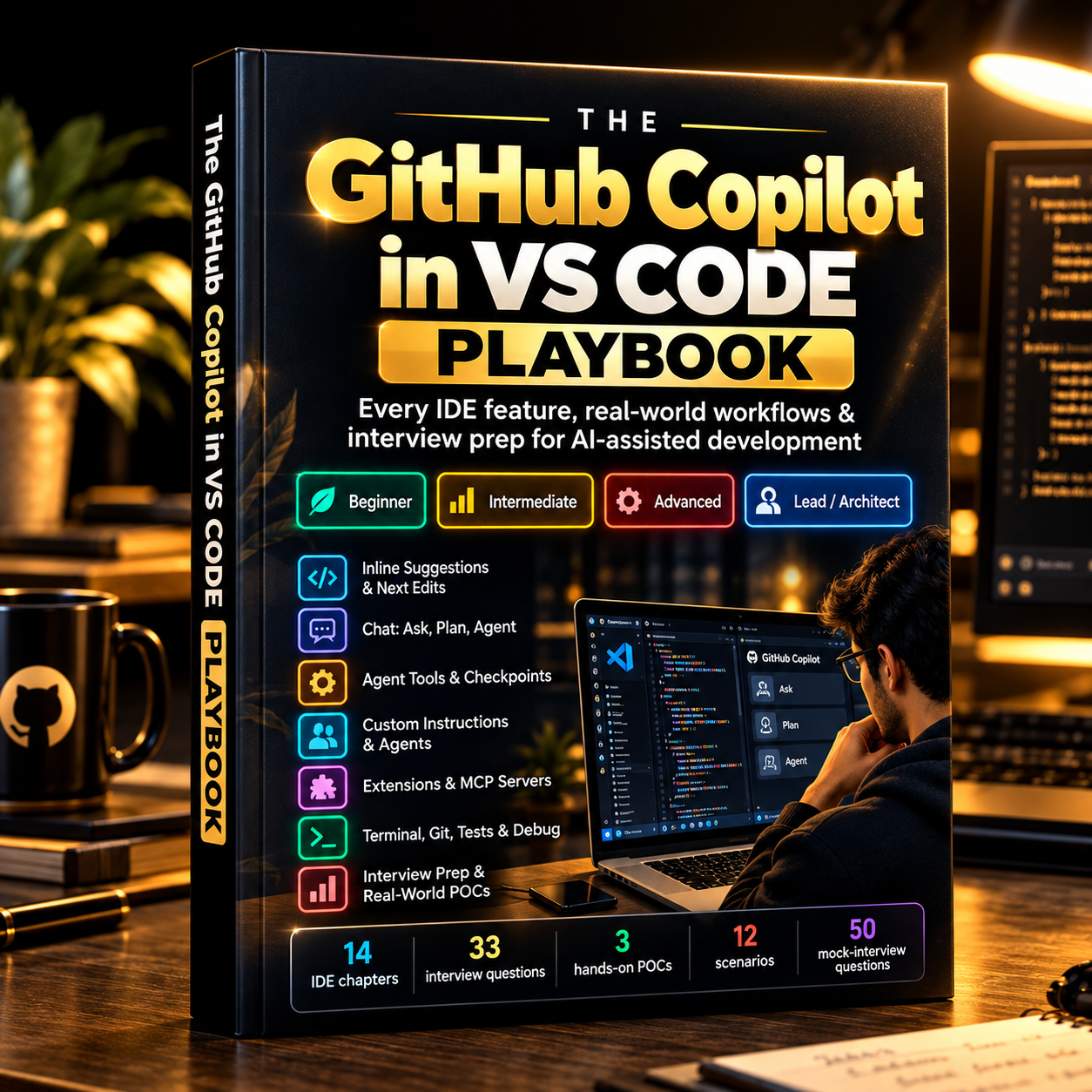
The GitHub Copilot in VS Code Playbook
Every IDE feature, real-world workflows & interview prep for AI-assisted development
A guide to every part of VS Code where Copilot shows up, from your first inline suggestion to agents, MCP servers and team policies. Each chapter has a Try It Yourself task, and the book ends with interview prep from Beginner to Lead / Architect.
- Find Copilot in every area of VS Code: editor, chat, terminal, source control, tests
- Know when to use Ask, Plan or Agent, and how tools, approvals and checkpoints work
- Set up instructions, prompt files, custom agents, skills and MCP servers for a team
- Build 3 POCs, ending with a QA SDET multi-agent pipeline
- Prepare with 33 tiered interview questions and a 50-question mock interview
Free download until 12 October • No payment needed • PDF
Secure payment • Digital eBook • Access after successful payment
Most people use a fraction of Copilot.
Copilot is spread across the whole IDE, and VS Code ships new Copilot features almost every month. Many developers and testers stop at autocomplete and the chat box.
- Features are scatteredSuggestions, inline chat, agents, terminal, source control and tests each have their own entry point.
- Agent mode feels riskyIt's unclear what the agent is allowed to do, when it asks for approval, and how to undo its changes.
- Interviews now ask about itTeams expect you to explain how you use AI in the IDE, including setup, context and review policy.
What you'll be able to do
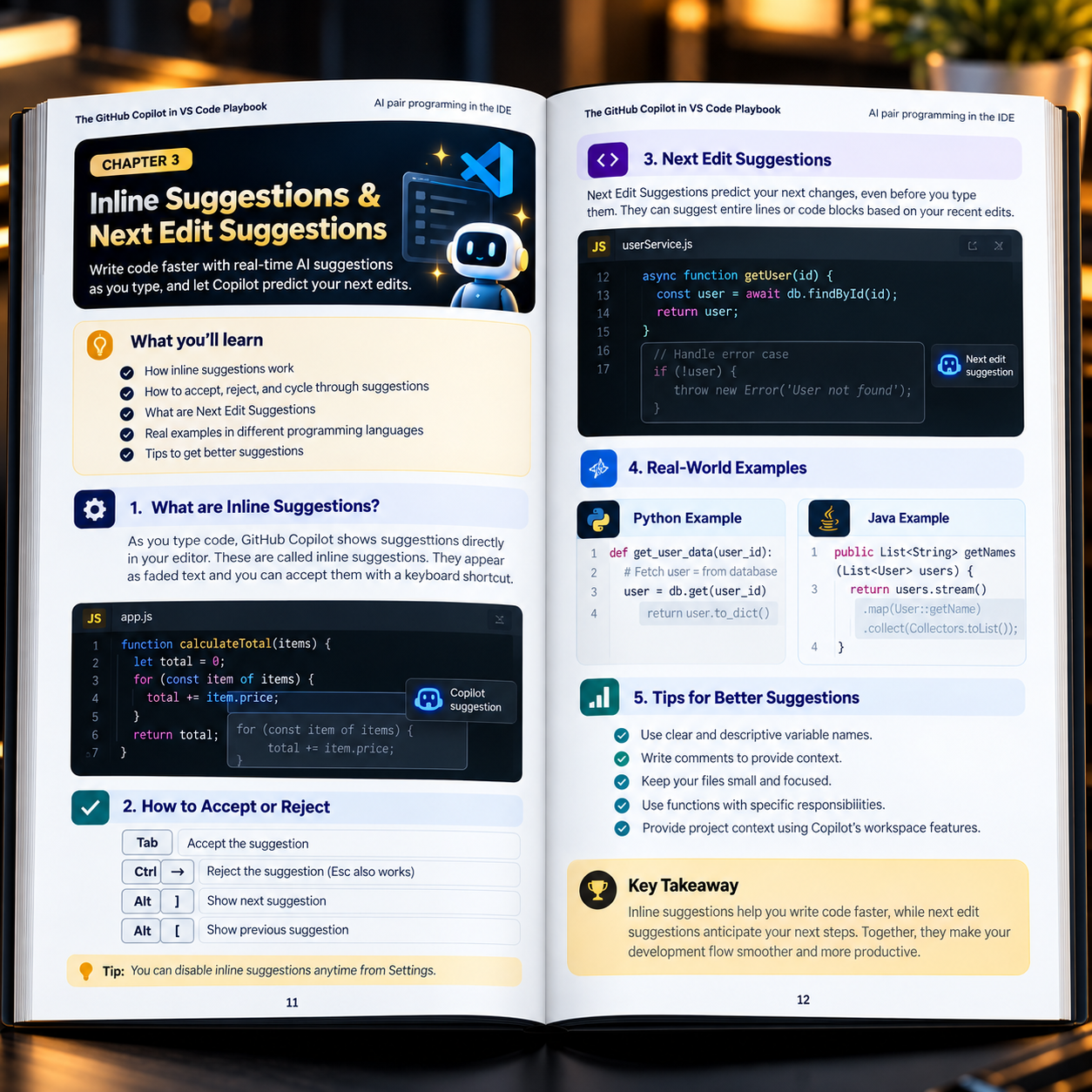
Use the editor features properly
Inline suggestions, Next Edit Suggestions, inline chat and smart actions.
Pick the right chat mode
Ask, Plan and Agent, with tools, approvals and checkpoints.
Give Copilot the right context
Workspace context, custom instructions, prompt files, custom agents and skills.
Connect it to your workflow
Extensions and MCP servers, the terminal, pull requests, code review, testing and debugging.
Run it safely at team scale
Sessions, cloud agents, settings, privacy and enterprise policies.
Answer interview questions
From Beginner to Lead / Architect, with scenarios and trick questions.
Inside the book
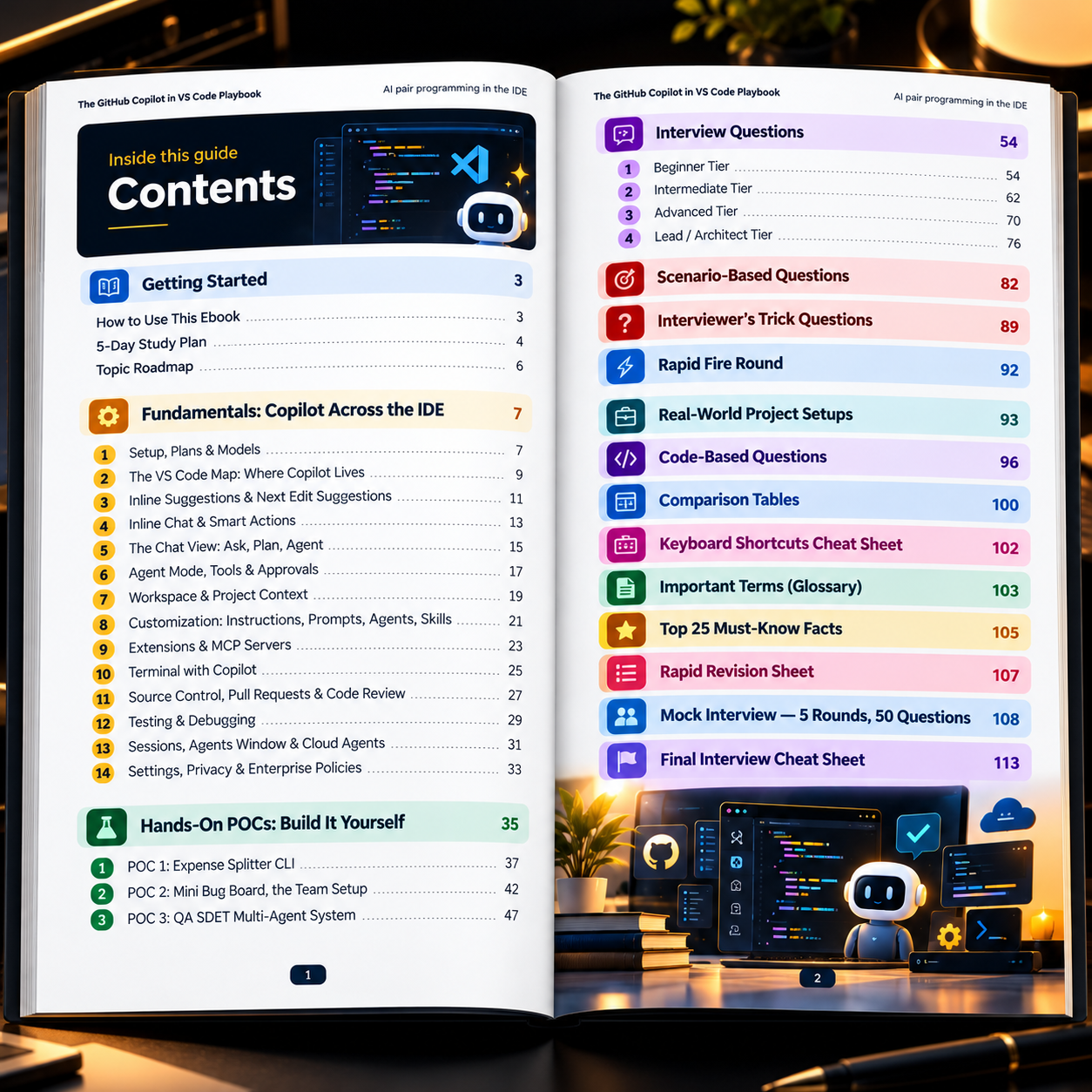
14 IDE chapters, 3 hands-on projects and a full interview section, with a 5-day study plan to work through it.
Setup, plans, models and the VS Code map
Where Copilot lives in the IDE.
Editor, chat and agents
- Inline suggestions & Next Edit Suggestions
- Inline chat & smart actions
- The Chat view: Ask, Plan, Agent
- Agent mode, tools & approvals
Context and customization
Workspace context, instructions, prompt files, custom agents, skills, extensions and MCP servers.
Terminal, Git, tests and governance
Terminal, source control, PRs and code review, testing and debugging, sessions and cloud agents, settings and enterprise policies.
Expense Splitter CLI
Your first instructions file, prompt file and checkpoint restore.
Mini Bug Board, the team setup
MCP, a custom agent, a skill, a worktree session, a PR and a cloud agent.
QA SDET Multi-Agent System
An end-to-end multi-agent QA pipeline.
33 questions in 4 tiers
Plus 12 scenarios, trick questions, a rapid-fire round, real-world project setups and code-based questions.
Cheat sheets and mock interview
Comparison tables, keyboard shortcuts, glossary, Top 25 Must-Know Facts, Rapid Revision Sheet and a 5-round, 50-question mock interview.
A look at the pages
Written for
Developers new to Copilot
You want to go beyond autocomplete and use the whole IDE.
QA engineers & SDETs
Test generation, debugging and a QA multi-agent pipeline you can build.
Team leads & architects
Instructions, agents, MCP and review policy for a whole team.
Interview candidates
Tiered questions, scenarios and a full mock interview.
Everything in the download
- The complete 116-page PDF
- 14 IDE chapters, each with a Try It Yourself task
- 3 step-by-step POC projects
- 33 interview questions + 12 scenarios
- Keyboard shortcuts, comparison tables and glossary
- 5-round, 50-question mock interview
- 5-day study plan
Free until 12 October
Secure payment • Digital eBook
Questions, answered
Is it really free?
Yes. The eBook is free to download until 12 October. No payment or sign-up is needed.
What format is the eBook?
It's a 116-page PDF.
Is this a physical book?
No. It's a digital eBook. Nothing is shipped.
Do I need a paid Copilot plan?
No. Chapter 1 covers the plans, including the Free plan, so you can follow along with what you have. Some team features need a Business or Enterprise plan.
Will it go out of date?
Copilot changes often. The book focuses on concepts and workflows that stay stable, and tells you where to check when a menu or shortcut looks different.
Can I read it on mobile, laptop or tablet?
Yes. Any device that opens a PDF works.
What is your refund policy?
For a refund, please email sumitchaudhary07@gmail.com with your bank details.
Who do I contact if something goes wrong?
Message us on WhatsApp at +91 97116 25304.
From first suggestion to merged PR.
Learn where Copilot fits at every step in VS Code, then build it yourself.
Get this eBookFree download until 12 October