Claude Cowork, Explained Simply
A Friendly Guide for Busy, Non-Technical Professionals
A short, plain-English guide to the AI helper that can actually do everyday tasks for you, not just talk about them. No coding, no jargon.
- Understand Claude vs Claude Code vs Cowork in one chapter
- Seven real workplace stories showing exactly what to ask
- Simple safety habits: the shared folder, drafts-not-sends, prompt injection
- A 5-Day Quick Start Plan, one small task per day
Secure payment • Digital eBook • Access after successful payment
Everyone says “AI agent”. Nobody explains it simply.
It's 4:45pm on a Friday. Forty unsorted files, an untouched inbox, and a report that's still scattered notes. You've heard AI can help, but most explanations assume you're technical.
- Jargon everywhereYou've heard “AI” and “agent” a lot, but no one has explained what they mean for your job.
- Not a programmerYou use a computer all day, but coding tools aren't an option for you.
- Worried about mistakesYou're not sure what's safe to hand over, or what could go wrong.
What you'll be able to do
Know what Cowork is and isn't
How it differs from chatting with Claude and from Claude Code, in everyday language.
Spot the right first tasks
Files & folders, writing & research, email, connected apps and repeating jobs.
Use it safely
Share one folder, keep sensitive files out, review before anything is sent or deleted.
Make it part of your week
Go from setup to a recurring task in five short days.
Inside the book
Eight short chapters you can read in an evening, plus a glossary and a day-by-day starter plan.
What Is Claude, Claude Code, and Cowork?
The three, compared simply.
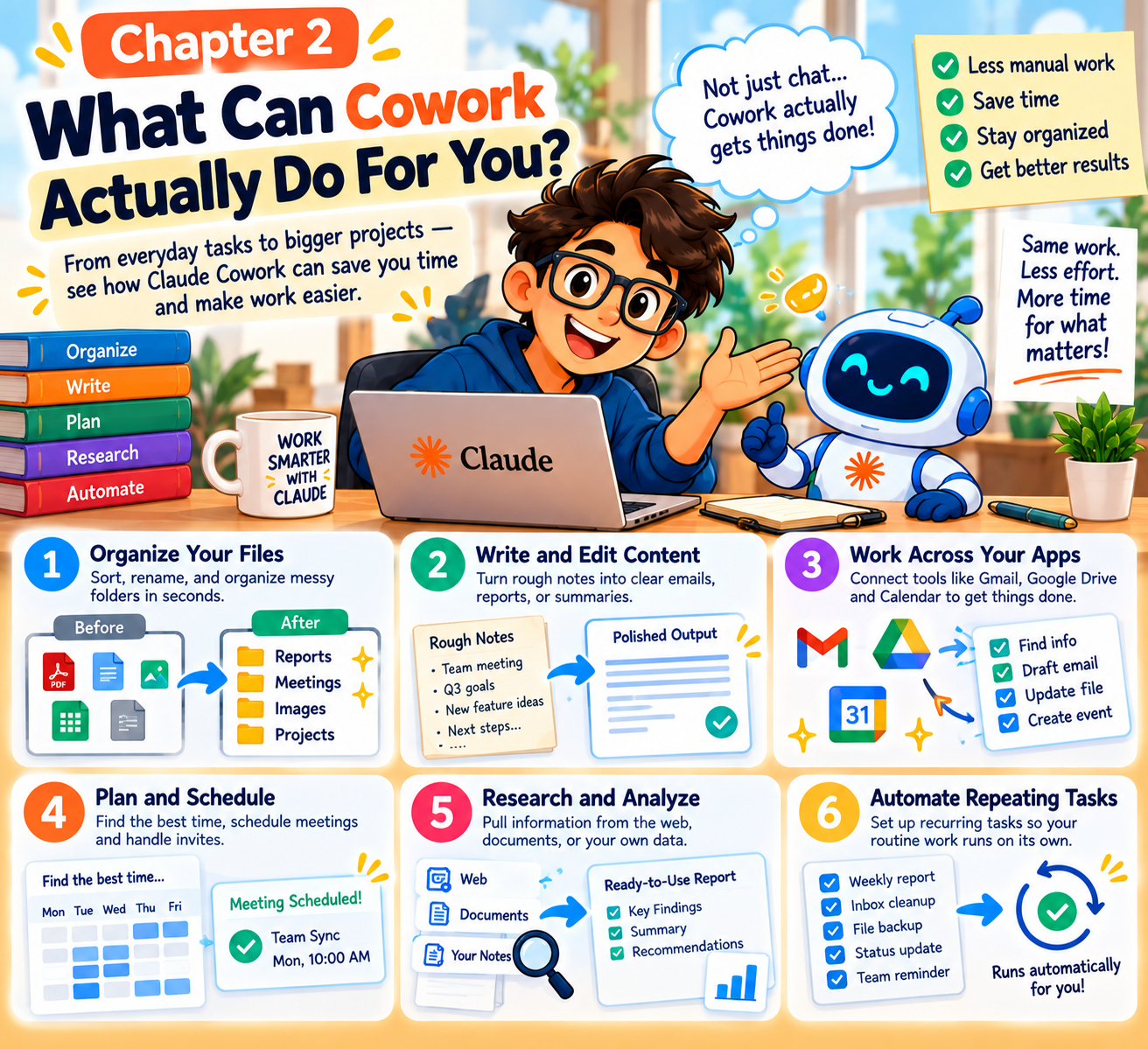
What Can Cowork Actually Do For You?
The five kinds of jobs it handles well, plus ready-made packages for Legal, Small Business, Marketing Ops and Financial Services.
How Does Cowork Actually Work?
The restaurant analogy, and the shared-folder safety idea.
Getting Started in 4 Simple Steps
Plan, open, pick a folder, give your first task.
Real Stories — Cowork at Work
- The Expense Report Rescue
- The Messy Inbox Cleanup
- The Weekly Report on Autopilot
- The Two-Document Compare
Safety, plans & beginner questions
Things to watch out for, which plan you need, and the questions beginners always ask.
Important Words, Explained Simply
Key Cowork terms in plain English.
Your 5-Day Quick Start Plan
Set up, try a file task, a writing task, connect one app, then make it a habit.
A look at the pages


Written for
Office professionals
Files, reports, inboxes and documents that take up your week.
Managers & team leads
Recurring summaries, inbox triage and document comparisons.
Non-technical beginners
You want practical examples, not technical jargon.
Small business owners
Admin, expenses and scheduling, with Small Business packages explained.
Already comfortable with code? The book explains when Claude Code is the better fit.
Everything in the download
- The complete Claude Cowork eBook
- 8 plain-English chapters
- Real workplace stories with the exact instruction used
- Safety checklist
- Glossary of key terms
- 5-Day Quick Start Plan
- Download after successful payment
Questions, answered
What format is the eBook?
It's a digital eBook in PDF format.
How will I receive the eBook?
After successful payment you're redirected to a download page for this eBook.
Is this a physical book?
No. It's a digital eBook. Nothing is shipped.
Who is this eBook for?
Office professionals, Managers & team leads, Non-technical beginners, Small business owners.
Do I need any technical background?
No. The book is written for people who use a computer for work but aren't programmers.
Does this book include a Claude subscription?
No. It's a guide. Chapter 7 explains which Claude plans include Cowork so you can choose one yourself.
Can I read it on mobile, laptop or tablet?
Yes. You can read it on any device that opens the file format above.
What happens after payment?
Your payment is processed by the payment provider, then you're sent to this book's thank-you page with a download button. Please save the file to your device.
What is your refund policy?
For a refund, please email sumitchaudhary07@gmail.com with your bank details.
Who do I contact if something goes wrong?
Message us on WhatsApp at +91 97116 25304 with your payment receipt.
Small task, clear instruction, check the result.
That loop is most of using Cowork well. This book shows you how to start it this week.
Get this eBookSecure payment • Digital eBook • Access after successful payment